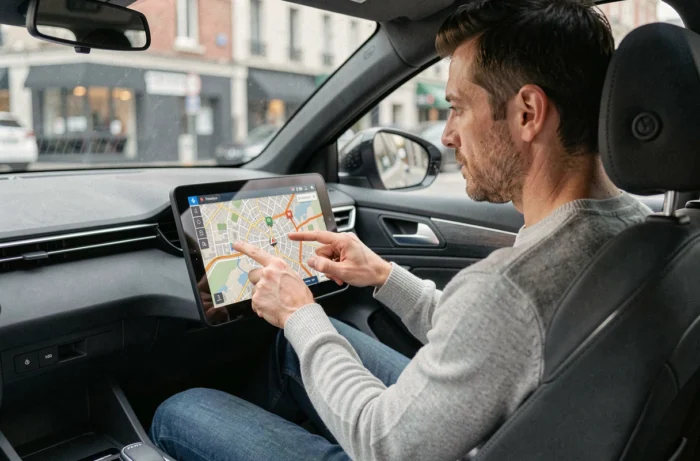
The navigation systems integrated into Peugeot vehicles rely on locally stored mapping, which does not automatically update on most models. When the data is outdated, the GPS may suggest routes that go through modified roads, ignore recent roundabouts, or miss danger zones. Accessing a free update depends on several technical parameters that need to be understood before initiating any procedure.
VIN Check: The Prerequisite Many Overlook
Before any attempt to download, the first step is to check the eligibility of the vehicle. Since 2023-2024, eligibility for free updates is verified by VIN number and by market. The same Peugeot model may receive free maps in Europe and have no updates available if it was marketed in another market.
User feedback shows that some relatively recent vehicles purchased outside Europe find themselves without any mapping update proposals on the official Peugeot portal. This restriction is not always clearly indicated on the brand’s marketing pages.
To verify, simply visit the official Peugeot update site or use the Peugeot Update app by entering the VIN. The system will then indicate the available updates, whether free or paid. If nothing appears, the vehicle is simply not eligible, and no manipulation will change this result.
Obtaining a free GPS update for Peugeot therefore directly depends on what the server associates with the VIN, not just the model or year.
Peugeot GPS Update via USB Stick: Technical Procedure
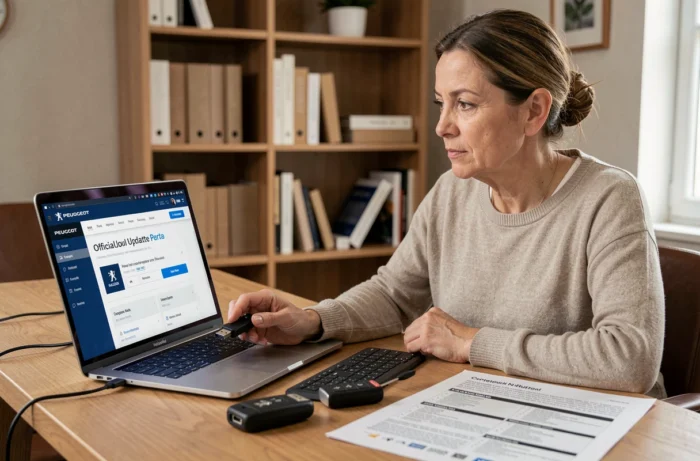
On most Peugeot navigation systems (WIP Nav, SMEG, NAC), the update involves transferring mapping files from a computer to a USB stick formatted in FAT32. The process occurs in three distinct phases.
- Download the Peugeot Update software on a PC or Mac, connect the USB stick, then let the application identify the vehicle via the VIN to propose the available files.
- Transfer the mapping data to the stick. Depending on the chosen geographical coverage (single country or entire Europe), the download may take a significant amount of time based on the internet connection speed.
- Insert the USB stick into the vehicle’s port, with the engine running, and start the installation from the navigation system menu. The operation requires the vehicle to remain running throughout the installation process.
A technical point often overlooked: the USB stick must be empty or contain only the update files. Third-party files present on the stick may block recognition by the embedded system. Using a dedicated stick of sufficient capacity avoids the most common errors.
OTA Updates on the Latest Peugeot Models
The latest Peugeot vehicles, equipped with next-generation connected systems, are beginning to receive OTA updates (Over The Air). This mechanism allows for updating the mapping and software of the navigation system directly via the vehicle’s cellular connection, without a USB stick or computer.
This evolution changes the game for the affected owners. When the vehicle is eligible, the update downloads in the background and installs at the next startup or during a prolonged parking period. The driver receives a notification via the multimedia system screen or the Peugeot mobile app.
Not all models benefit from OTA. Previous generations remain limited to the USB method. To find out if a vehicle is compatible, the technical sheet of the navigation system in the maintenance booklet or a visit to a dealer can provide clarity.
What OTA Does Not Always Cover
Even on compatible vehicles, some major mapping updates may remain paid after an initial free period. OTA free updates are not systematically unlimited in time. The first years following the purchase generally include updates, but beyond that, a subscription or one-time purchase may become necessary.
Free Alternatives to Integrated Peugeot GPS
When the embedded system no longer offers a free update, or when the available mapping remains too old, third-party solutions take over at no cost.
The most direct option: use the smartphone projection feature (Apple CarPlay or Android Auto) available on most recent Peugeots. By connecting the phone to the multimedia system, applications like Waze or Google Maps display directly on the vehicle’s central screen. These applications use continuously updated mapping and integrate real-time traffic alerts, danger zones, and updated speed limits.
This approach has a concrete advantage: the phone’s mapping evolves without any manual intervention, unlike the integrated GPS which requires periodic downloads. However, the integrated system remains useful when mobile network coverage is absent, as it operates without an internet connection.
- Apple CarPlay and Android Auto are compatible with most Peugeots produced since the mid-2010s.
- Waze and Google Maps are free and automatically updated via the mobile network.
- The integrated GPS remains functional in dead zones, where the smartphone loses its data connection.
Combining both systems, integrated for isolated areas and smartphone for daily use, offers the most reliable coverage without spending a dime on paid mapping. The choice between the two mainly depends on the frequency of trips outside network coverage and the age of the vehicle’s navigation system.